Lowering the Cognitive Burden of Reviewing AI Code
ai programming toolsA guide to my process for effectively reviewing AI generated code
Reviewing AI generated code can be tough, especially if the code generated is solving a particularly complex problem. Even if the code is correct, it can be hard to understand how exactly it works. When working with other human programmers, I would generally ask them to walk me through their code, and I would ask questions about why they made certain decisions as we go. I wanted a similar process for reviewing AI generated code. After a lot of exploring, I've found a combination that works well for me.
The Walkthrough
My first step, especially with large or complicated changes, is to get the AI to provide me with a high-level overview of what it's written. For this, I use stagereview.
Installing stagereview is a two part process:
- Install the
stagereviewCLI tool globally:npm install -g stagereview - Copy the skill file to your agent's skills; you can do this manually, or by running:
npx skills add ReviewStage/stage-cli
I recommend making a couple small tweaks to the skill:
First, ask the agent to write the chapter JSON to a file, and then pipe that file into the stagereview command. This way, if the server needs to be restarted, or you want to launch the review server yourself, you can do so without needing to ask the agent to regenerate the chapter JSON.
Second, ask the agent to use background tasks for the stagereview show command. For the pi coding agent, I use the pi-background-tasks extension for this. This allows you to continue to chat with the agent while you review the output. You can also opt to have the agent provide you with a command to run in your own terminal, if you prefer.
Kicking it Off
Once installed, launch the skill with /stage-chapters. The skill asks the agent to follow a series of steps to prepare the review. Once finished and the stagereview command is running, the agent will either open a browser window for you, or provide you with a URL to open yourself.
The review itself is organized into chapters. Each chapter corresponds to a particular logical slice of the code. Here's an example from a recent pull request for Atuin: The StageReview chapter summary for a pull request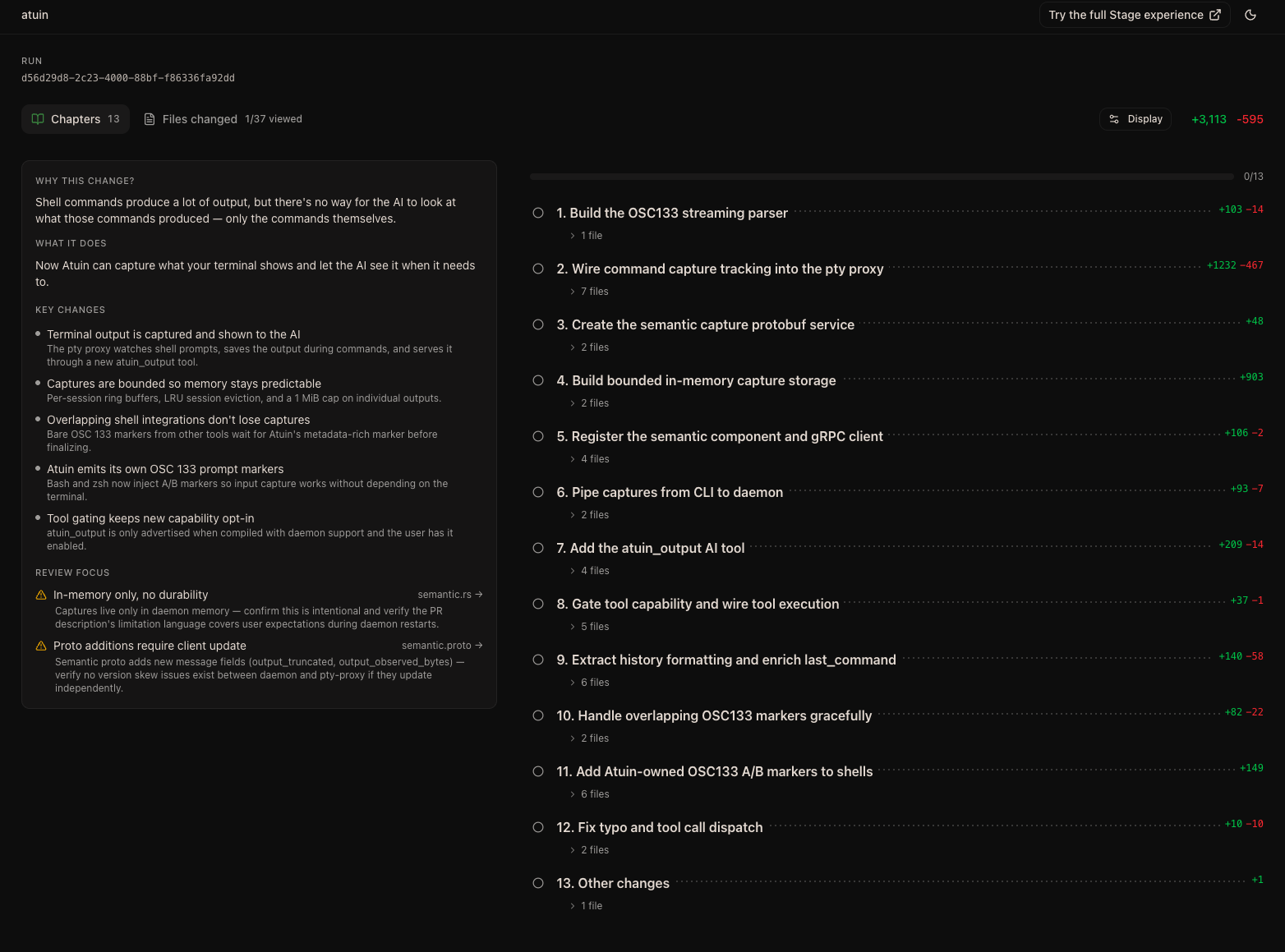
As you can see, the agent generated a number of chapters, ordered in a way that makes sense for getting an overview of the changes. It also provides a list of key changes, as well as areas where review might be particularly warranted.
Clicking into a chapter shows a more detailed overview of the changes related to that chapter, as well as a list of files or hunks relevant to the change. A chapter from a StageReview review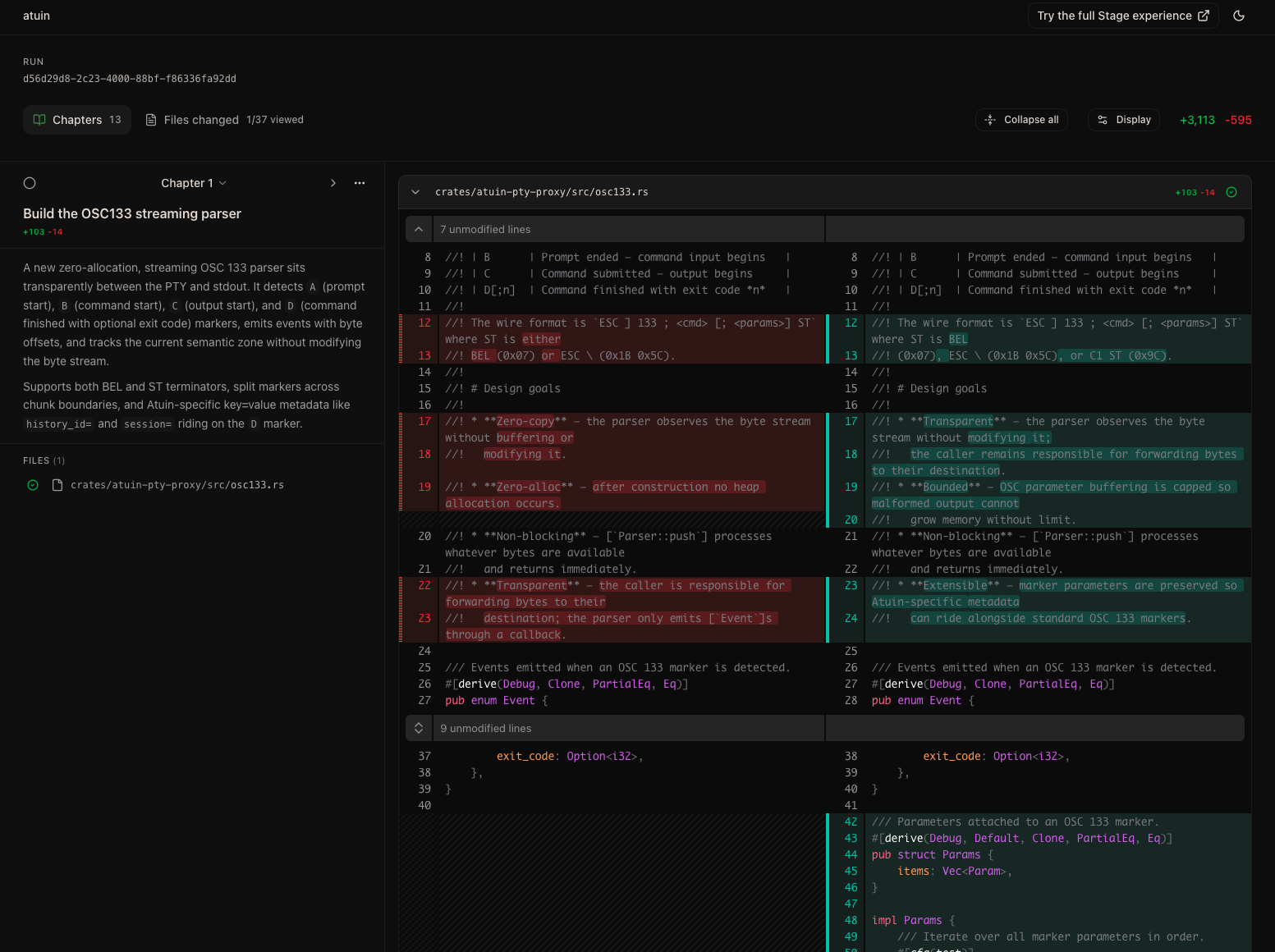
The agent can also call out sections of code for things it wants to explicitly draw attention to; these show up as highlights in the code view, with associated checkboxes in the chapter view. You can check off the boxes as you review the highlighted code, which helps you keep track of what you've already looked at. StageReview chapter detail, with lines of code relevant to the change called out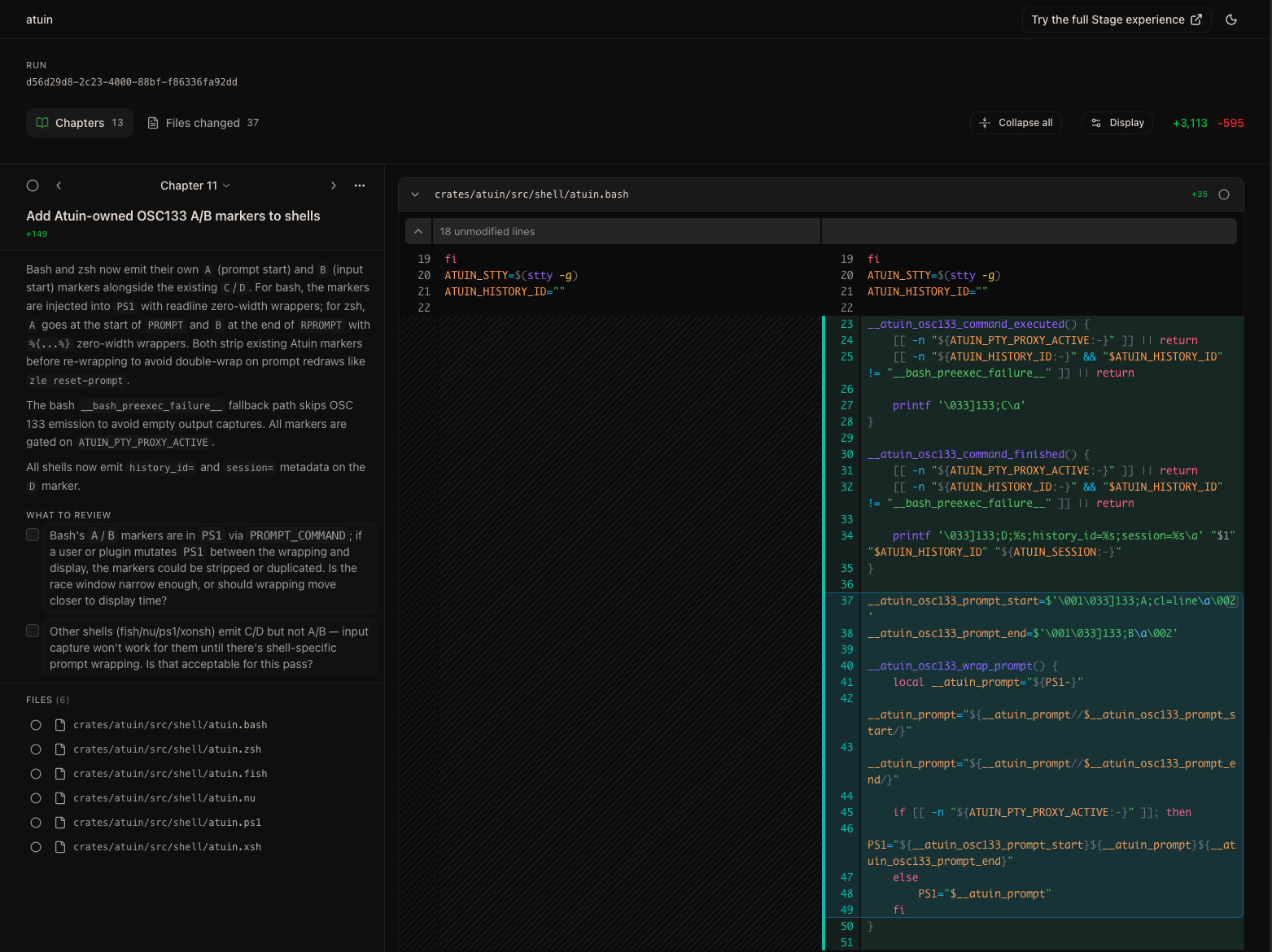
Actually Reviewing
Once I have a good understanding of the high-level changes, I'll either discuss any concerns with the agent, or move on to the second step: actually reviewing the code. For this, I use Plannotator's review tool. For pi, this comes with the @plannotator/pi-extension package.
To kick off the review, just run Reviewing code with the Plannotator review tool/plannotator-review. This opens a browser window with a more traditional diff view of the changes. You can click and highlight lines to add annotations and suggested code changes, much like you would in a normal code review on GitHub.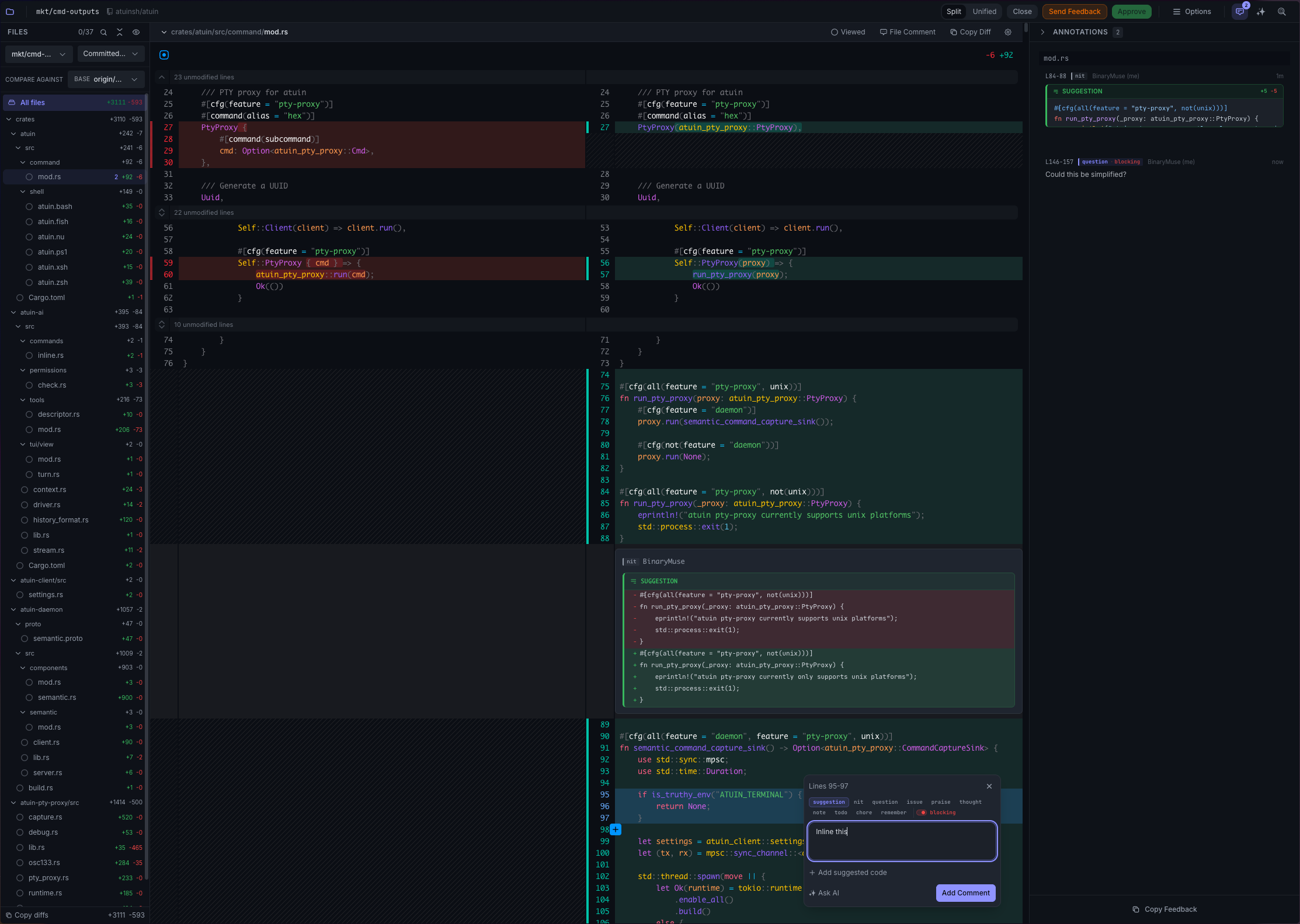
Once complete, click "Send Feedback," and the agent will receive your comments and suggestions, with associated metadata about which lines of code they relate to:
Code Review Feedback

Diff: Committed changes vs origin/main

crates/atuin/src/command/mod.rs

### Lines 84-88 (new)

nitpick:

Suggested code:

```rust
#[cfg(all(feature = "pty-proxy", not(unix)))]
fn run_pty_proxy(_proxy: atuin_pty_proxy::PtyProxy) {
    eprintln!("atuin pty-proxy currently only supports unix platforms");
    std::process::exit(1);
}
```

### Lines 95-97 (new)

suggestion (blocking): Inline this

### Lines 146-157 (new)

question (blocking): Could this be simplified?

Please address this feedback.
It's worth noting that Plannotator's review tool has a plethora of other options and features; I don't use all of them, but I encourage you to explore the tool and see what works best for you.
Conclusion
With these two tools, I find it much easier to review AI generated code, even when it's solving complex problems. The walkthrough provided by StageReview helps me understand the high-level changes and the rationale behind them, while Plannotator allows me to dive into the details and provide specific feedback, without needing to bounce back and forth between GitHub and my agent. If you're looking to lower the cognitive burden of reviewing AI generated code, I recommend giving this combination a try!